
AI Images in Sewing: How to Recognize Them and Use Them Wisely
Sewing images created with AI are quietly slipping into our feeds. They show up between real projects and honest tutorials. At first glance, they look familiar. The quilts look crisp. The projects appear beautifully finished.
But not all is as it seems.
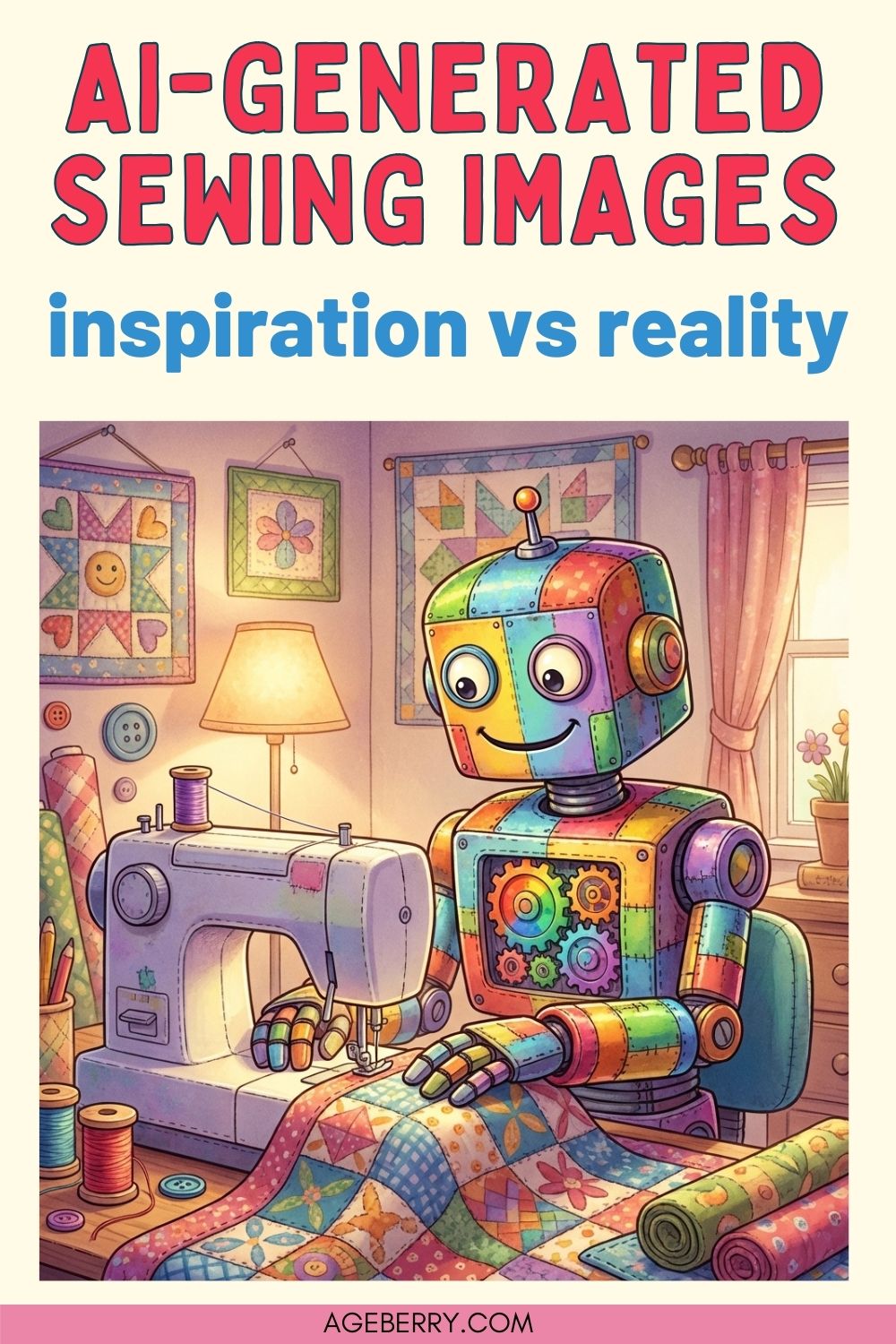
I included this pin on purpose. Yes, it’s an AI-generated image. Very obviously so. No robot is secretly running a sewing machine in my studio, and no quilt was harmed in the making of this illustration. I am not pretending it’s real sewing. I use this image as a visual signpost. It tells you, right away, what this article is about: sewing images created by AI, how they differ from real projects, and how to look at them with clear eyes and a sense of humor.
In AI images everything seems polished in a way that feels almost too tidy.
That “too tidy” feeling matters.
Sewing teaches us how fabric behaves in real life. Seams pull a little. Corners resist perfection. Quilts repeat blocks because someone cut and stitched them over and over. AI images ignore those realities. They follow visual logic, not sewing logic. That difference creates confusion, even for sewists with years of experience.
This post is not about declaring AI images bad or dangerous. It is about clarity. Many sewists now see images that look achievable, save them for later, and then feel frustrated when no real pattern or method supports what they see. Beginners feel it most, but experienced sewists notice it too. Something feels off, yet it is hard to explain why.
My goal here is simple and practical:
- To help you recognize when a sewing image was created by AI
- To explain why these images mislead even skilled sewists
- To show where AI images can still serve a useful role
- To encourage thoughtful awareness, not fear or outrage
Sewing remains a physical craft. Fabric has weight. Seams have limits. Patterns must work in three dimensions, not just on a screen.
The most important thing to remember: a beautiful sewing image does not always represent a real, sewable project.
What Sewing Images Created With AI Usually Look Like
Most sewing images created with AI look convincing at first glance. That is what makes them tricky. The problems rarely jump out immediately. They appear after a second look, when your sewing brain starts checking the details.
Here are the things sewists tend to notice once they slow down and really look.
Seams that fade, split, or disappear
Seams may start clearly and then dissolve into fabric. Sometimes they stop abruptly. Sometimes they exist on one side of a piece but not the other. Real sewing leaves consistent seams, even imperfect ones.
Quilts with repeating blocks that never quite repeat
At first, the quilt looks orderly. Then you notice that blocks almost match but not fully. Corners do not align the same way twice. Sizes drift. That happens because AI copies the idea of repetition without understanding cutting accuracy or block construction.
Stitching that looks painted rather than sewn
Instead of individual stitches, the surface looks smoothed or brushed on. Stitch lines may have no clear entry or exit points. Thread lacks thickness or direction.
Fabric folds that ignore reality
Folds float where gravity would pull them down. Layers overlap without bulk. Thick fabric bends like paper. Your hands know this instinctively because you have pressed seams and wrestled corners flat.
Binding that changes width along the edge
Quilt binding may widen, narrow, or vanish mid-edge. Corners look wrapped but not turned. Real binding stays consistent because it is cut and attached deliberately.
Rooms that are clean and lack signs of normal use
There are no thread tails on the table; there is no cutting mat either. The spools, bobbins, needles, scrap pieces are either absent or perfectly organized.
There are also small mechanical clues that feel subtle but matter.
- Sewing machines shown at odd sizes compared to hands or tables
- Thread spools that could not physically feed the machine
- Scissors that are not shaped like scissors
- Needles that are far too long, too thick, or positioned incorrectly
Here is a good example.
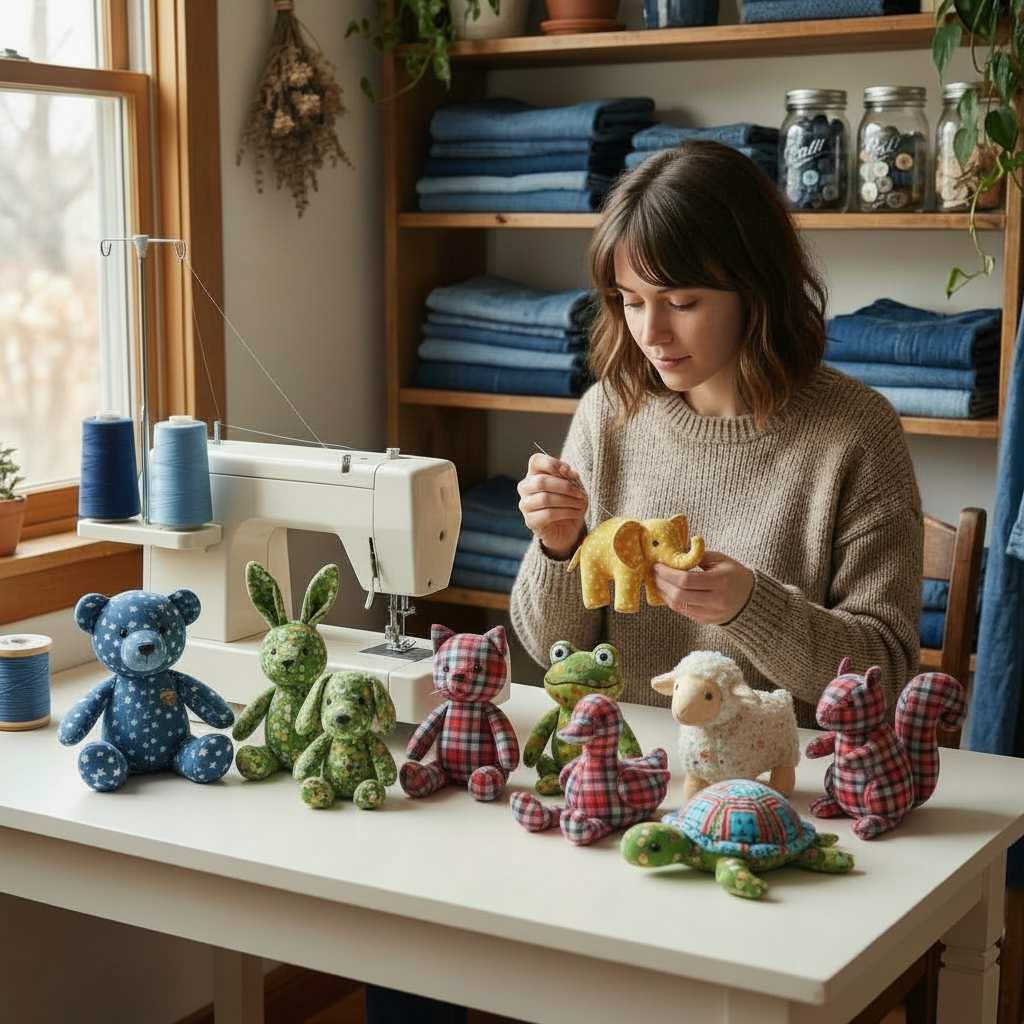
At first glance, it feels cozy and believable. Then you notice the large thread spools. That machine cannot be threaded that way, even with a twin needle. The needle shown is single.
Then your eye moves to her hands. The needle is unusually long, she holds it like a pen and appears to stitch a finished plush elephant by hand in a way that makes no practical sense (or perhaps it’s some voodoo practice?).
The shelves behind her are stacked with neatly folded denim, as if this were a factory showroom rather than a hobby sewing space.
Another image shows a cat on fabric.
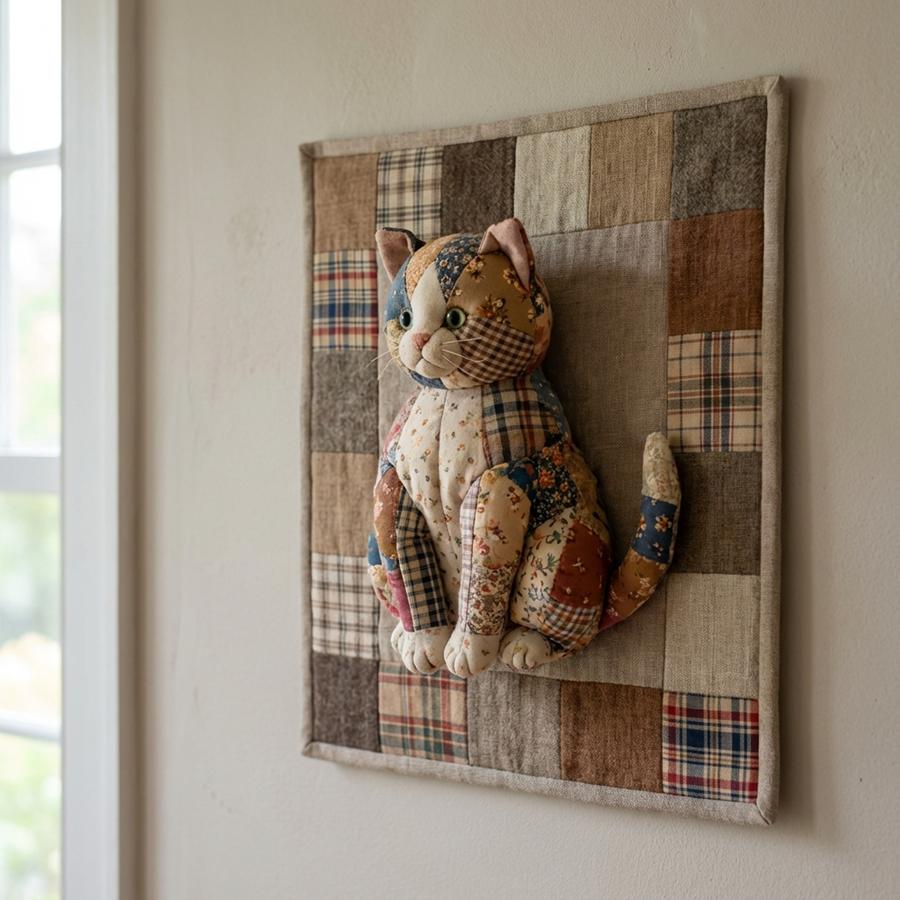
To me, this raises basic questions. What is the purpose of this image? It is frankly a little disturbing, the cat looks real enough for me to ask myself “what did he do to be hung there”? But I doubt anyone would want to create something like this.
An important note: many sewing images created with AI look very convincing at first glance. Feeling confused by them is understandable. These images are designed to pass that first look.
Takeaway: if your brain pauses and thinks, “something feels off,” it usually is. Your sewing experience notices things long before you consciously name them.
The Pattern Problem: When the Image and the Pattern Don’t Match
This problem has different aspects, but the result is familiar. Basically, there is some kind of disconnect between the pattern and the image shown.
In one case, I bought a bear pattern, sewed the bear, and even created a full tutorial for it – My Adventure with a Memory Bear Template: The Good, the Bad, and the Adorable. The pattern itself was good. The bear I made was real, tested, and predictable.
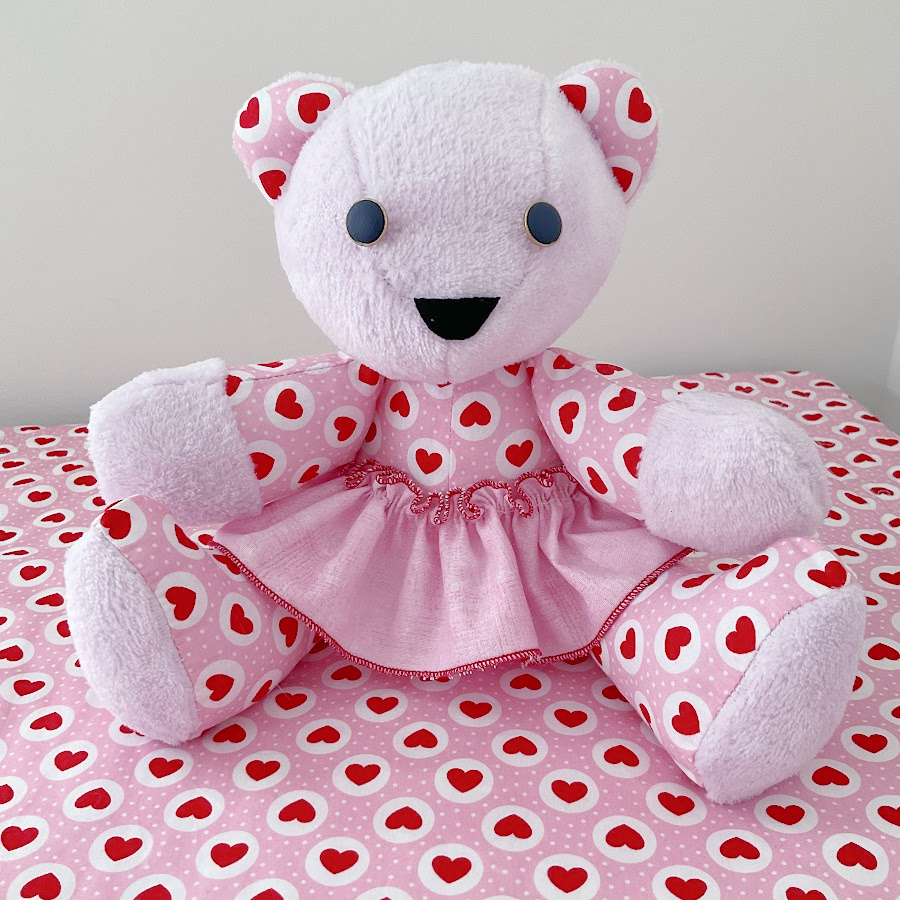
But the bear shown in the product image looked different (this is an affiliate image, if you buy from Amazon after clicking on the link below I will receive a small commission).

Proportions did not match. The finished bear from the pattern simply could not look exactly like the image. Most likely, that image was generated by AI or heavily altered. It looked appealing, but it did not represent what the pattern actually makes.
The opposite situation happens just as often, here is a link to a an example from Pinterest:
You see a plush toy that looks charming and well-made. Nearby, a pattern diagram appears. At first glance, they seem connected. Then you look closer. The pattern pieces do not explain the plush at all. Body proportions do not align. Limbs attach in ways the pattern cannot support. Even basic construction logic breaks down.
In both cases, the issue is the same: the image and the pattern were never tested together.
This usually happens for one of two reasons:
- An AI-generated image was created first, and a pattern was added later to make it look legitimate
- A real pattern exists, but the promotional image does not represent what the pattern actually produces
For sewists, this creates real consequences:
- Fabric gets cut based on false expectations
- Time is spent troubleshooting problems that cannot be solved
- Beginners blame themselves instead of the source
Patterns work because they translate flat pieces into three-dimensional objects. When an image ignores that relationship, the trust breaks.
Takeaway: when a finished plush and its pattern cannot explain each other, something is wrong. A reliable pattern always accounts for the object you see, and a reliable image always reflects what the pattern can truly make.
How to Tell Sewing Images Created With AI from Real Sewing Photos
Here is a simple checklist you can use when something feels questionable.
Zoom in on seams and edges
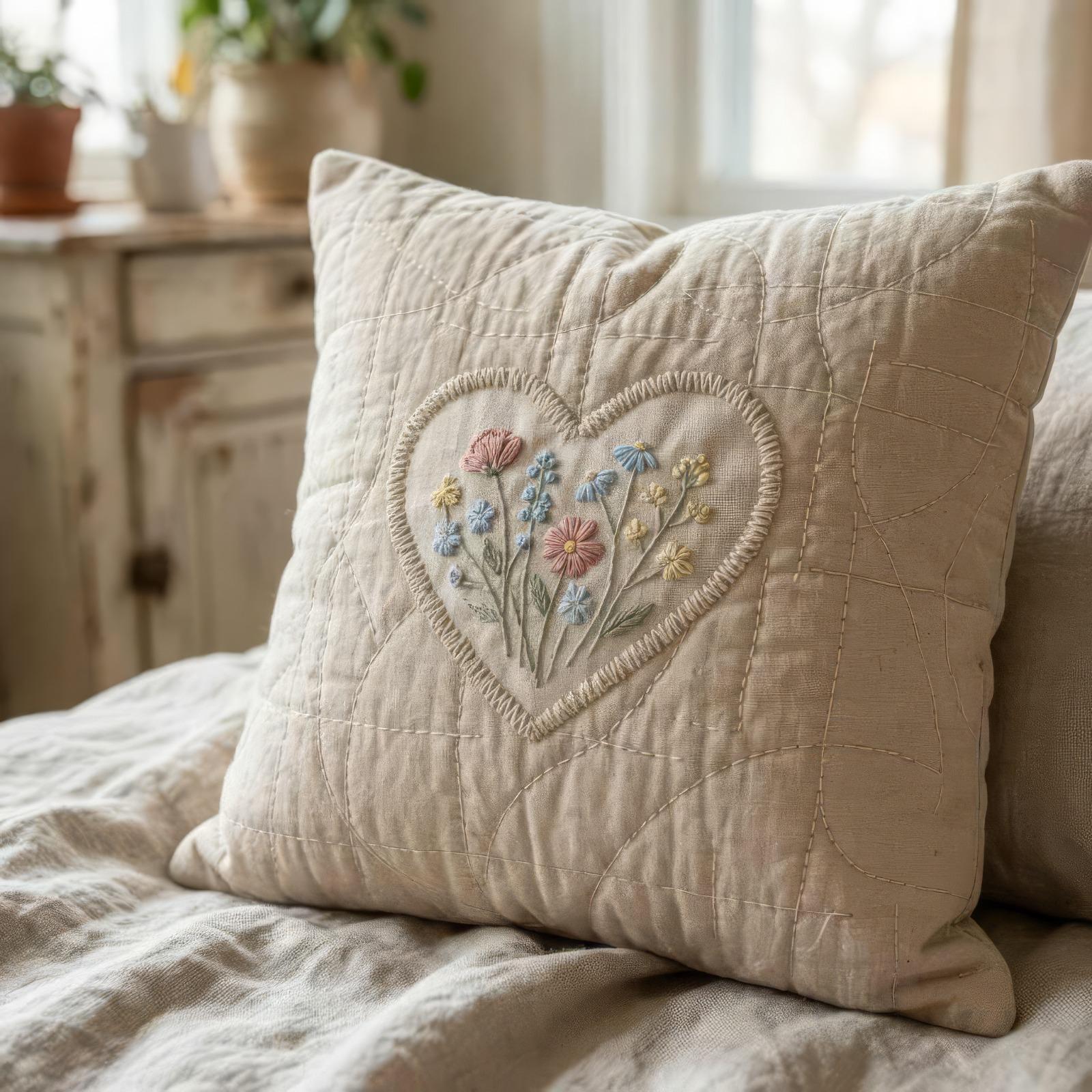
Start with the stitching. In the pillow image above, the stitching looks neat from far away.
Once you zoom in, it stops making sense. Some stitches change direction without reason. Others fade into the fabric. The stitching around the appliqué heart looks especially strange. It feels drawn on rather than sewn.
Look for natural hand interaction
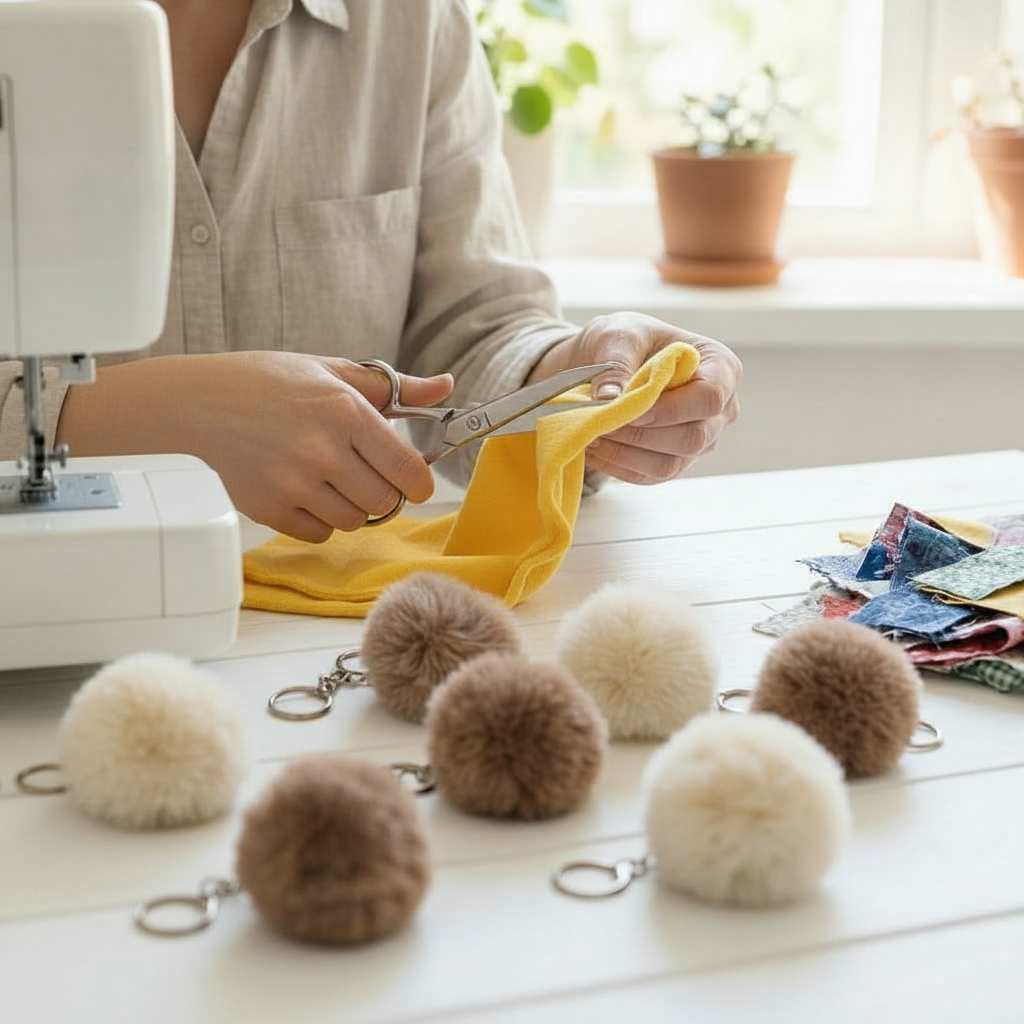
Hands tell the truth very quickly. In the image with scissors, the fingers sit in an awkward position. This is not how people hold fabric scissors while cutting. Sewists develop muscle memory. AI often places fingers where they look fine visually but would feel uncomfortable or unstable in real life.
Check if tools look usable or oddly shaped
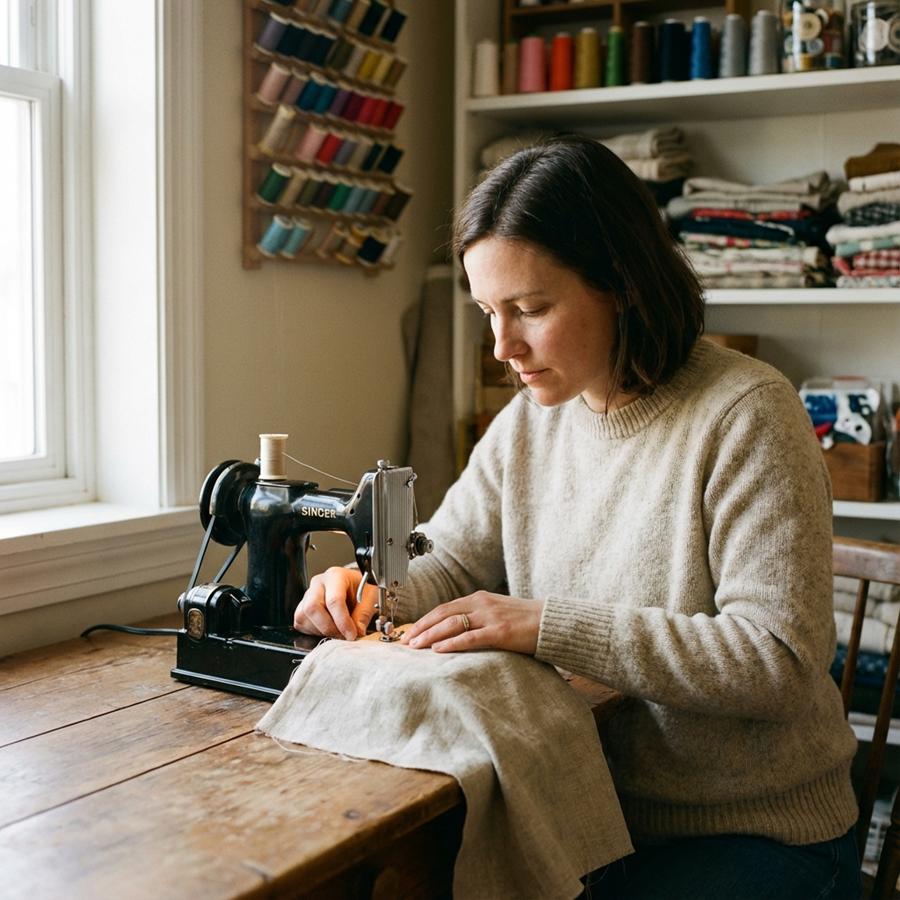
In the image above, the sewing machine appears too small compared to the person using it. Proportions feel off once you compare the needle area, the hand size, and the table height. Machines, scissors, and rulers should feel familiar. If your brain hesitates, there is usually a reason.
Pay attention to posture and body position
People sew in very specific ways because the task demands it. In this image above, the woman sits at the very corner of the table. That position makes no sense for machine sewing. You need support under the fabric, space for your hands, and a stable surface in front of the needle.
Sitting on the corner would force the fabric to hang off the table and pull against the feed dogs. Real sewists instinctively center themselves in front of the machine. AI often places bodies where they look balanced in the frame, not where the task would feel comfortable or practical.
Watch how the workspace is arranged
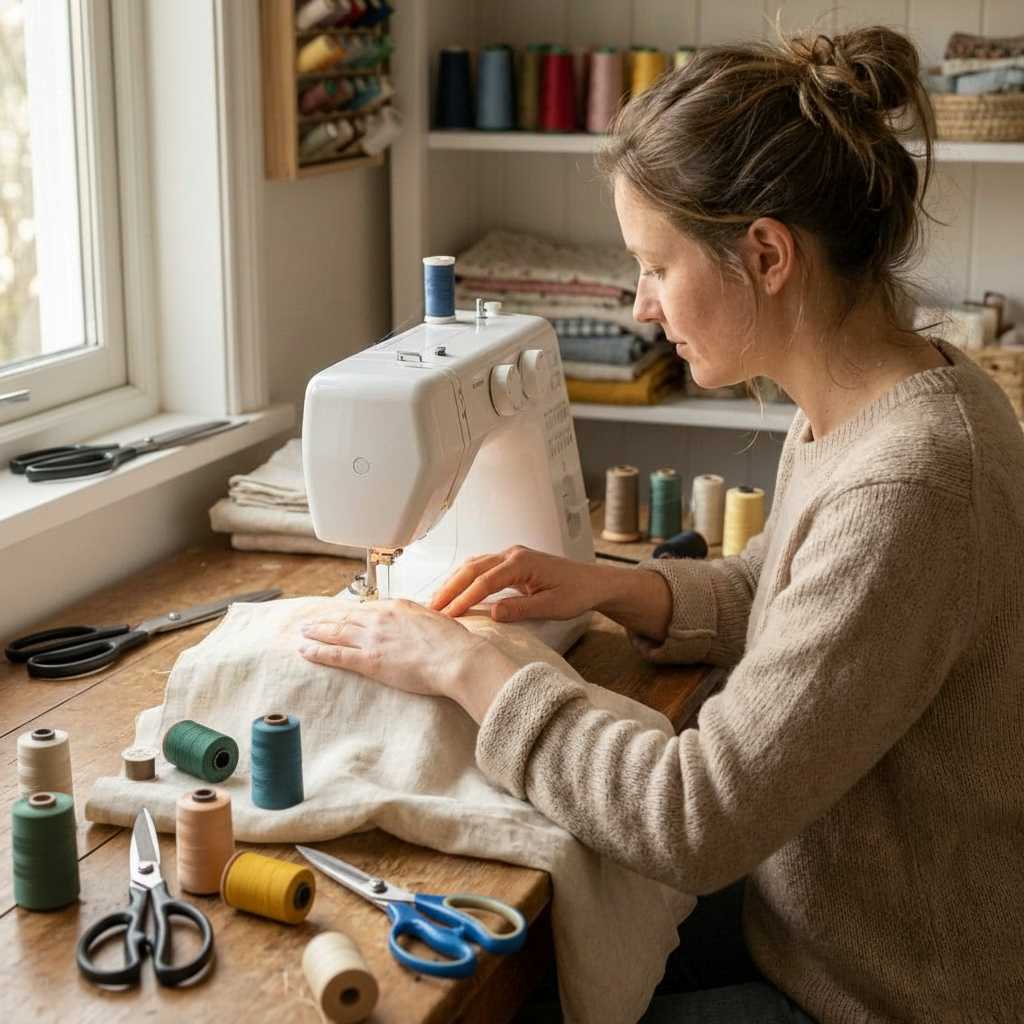
At a first glance, this image feels right. The woman’s posture makes sense. The sewing machine looks usable. The fabric placement appears reasonable. Nothing feels obviously wrong.
Then the details start to stack up.
There are too many scissors of the same type on the table, all within immediate reach. In real sewing, you usually keep one main pair close. Extra scissors might sit nearby, but they do not crowd the workspace like this. They create clutter where you need control.
The thread spools are scattered in a way that does not support sewing flow. Some sit upright. Others lie on their sides. A few rest directly on the fabric being stitched. That placement creates drag, tangling, and tension issues. Sewists are careful about thread paths, especially while sewing.
If she is actively stitching, loose spools would normally sit behind the machine, on a rack, off the fabric entirely. You want the fabric to move freely. You do not weigh it down with spools.
This is a common AI tell. The scene looks styled rather than functional. The objects exist because they belong in a sewing setting, not because they support the task happening in the moment.
Real sewing spaces are often messy, but the mess follows purpose. Tools land where hands expect them. Supplies move out of the way when stitching begins.
When a workspace looks decorative instead of practical, it is worth pausing.
Notice fabric texture consistency
Fabric texture should remain consistent across folds, seams, and layers. AI images often smooth fabric in one area and exaggerate texture in another. Denim may look soft like felt. Quilted layers may show no bulk where thickness should exist.
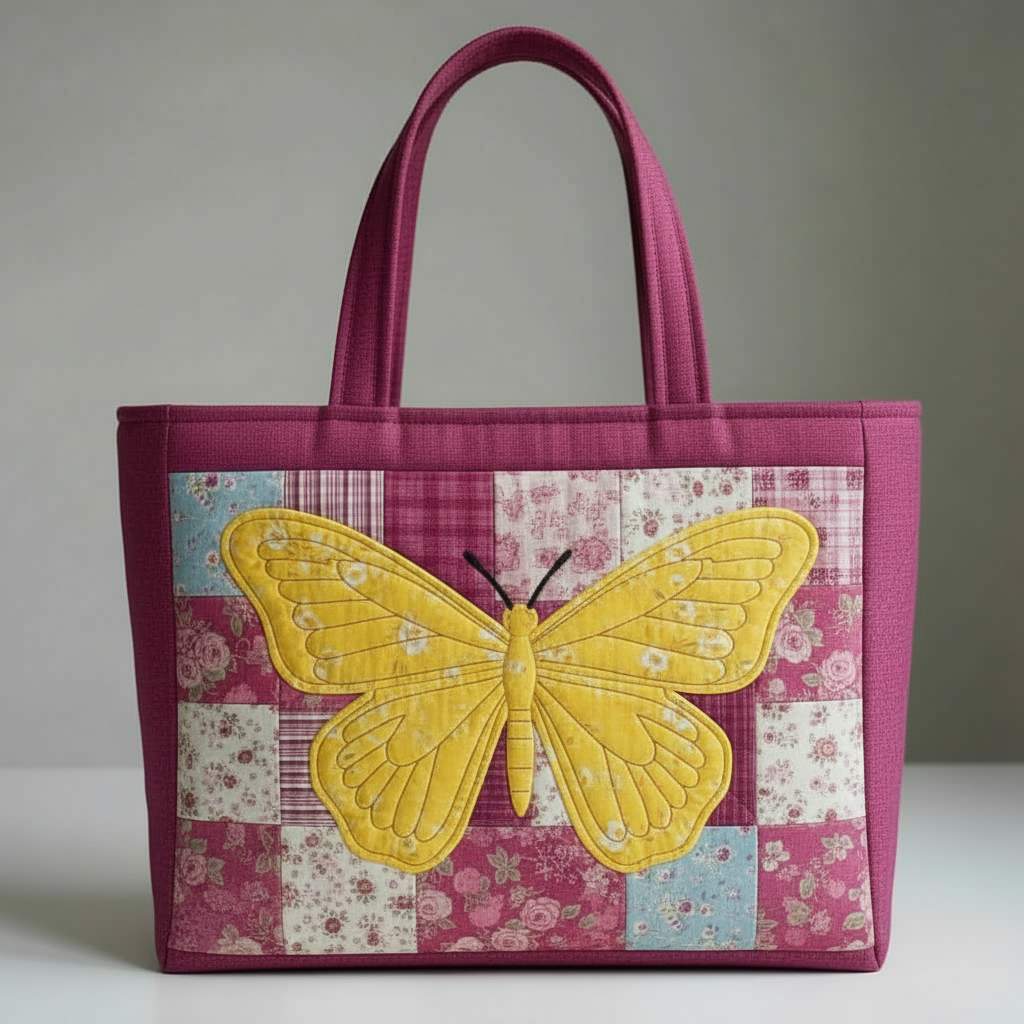
This image looks charming at first. The colors coordinate well. The butterfly appliqué feels playful. The bag shape appears neat and structured.
Then you look closer at the fabric behavior.
The appliqué looks unusually smooth and flat. There is no visible seam allowance shadow. No slight puff from batting or interfacing. No edge definition where one fabric layer sits on top of another. In real appliqué, especially on a quilted bag, fabric layers create gentle dimension. Even with careful pressing, edges still show structure.
Instead, the applique appears almost printed or fused in place.
AI often struggles with this balance. It exaggerates texture in one area and removes it completely in another. Fabric becomes selectively realistic rather than consistently physical.
In real sewing, fabric behaves as a system. Quilting, appliqué, interfacing, and stitching all influence one another. When one part looks dimensional and another looks flat and weightless, something does not add up.
This does not mean the idea itself is impossible. A similar bag could be made. The issue lies in how the materials behave in the image.
When fabric looks more like illustration than cloth, it is worth pausing.
See if multiple photos of the same project exist
Real sewing projects usually come with more than one image. You see a back view, an inside seam, a lining, or a work-in-progress shot. A single perfect image with no supporting views deserves a pause.
There are also social media clues worth noticing:
- No work-in-progress photos
- No back view, inside view, or close-ups
- Comments disabled or questions left unanswered
None of these prove anything on their own. Together, they form a pattern.
Takeaway: real sewing leaves small, honest imperfections. Pressing marks show up. Corners fight back a little. Hands interact naturally with tools. When everything looks flawless but slightly unreal, your instincts are already doing the work for you.
Why Sewing Images Created With AI Spread So Fast in Sewing Spaces
Sewing spaces online are highly visual. A beautiful image stops the scroll. Platforms reward that pause.
Here is why sewing images created with AI travel so quickly.
Platforms reward eye-catching visuals
Pinterest, Facebook, and similar platforms prioritize images that get saves, clicks, and long viewing time. AI images excel at this. They are tidy, symmetrical, and emotionally appealing. They show finished projects without the clutter, struggle, or half-done stages real sewing usually includes.
AI images trigger curiosity and saves
These images often spark a quick reaction. How was this made? Where is the pattern? I want to try that. Even experienced sewists save them “for later” before fully analyzing the construction. That save tells the platform the image is valuable, so it gets shown to more people.
Algorithms do not check realism
Algorithms measure engagement, not accuracy. They do not know whether seams make sense, whether a pattern exists, or whether a project could be constructed. If people pause, save, or comment, the image wins. This leads to an important distinction.
Many people sharing these images believe they are real
Most shares are not malicious. We humans are conditioned to believe our eyes. Someone sees a lovely sewing image, assumes it represents a real project, and passes it along. By the time confusion appears, the image has already spread widely.
Clarification moves slowly. Images move fast.
Once an image looks established, it gains trust simply by repetition. The more places it appears, the more real it feels.
Takeaway: confusion spreads faster than clarification online. That does not mean sewists are careless. It means visual platforms reward beauty long before they reward truth.
The Good Side of Sewing Images Created With AI
AI images are not useless for sewists. Problems start when they are treated as instructions instead of ideas.
Used thoughtfully, these images can support the creative process.
Where AI images can help
Color inspiration
AI images are very good at exploring color combinations. They show how warm and cool tones interact, how prints might balance one another, and how a limited palette can feel cohesive. This can help when you feel stuck choosing fabrics.
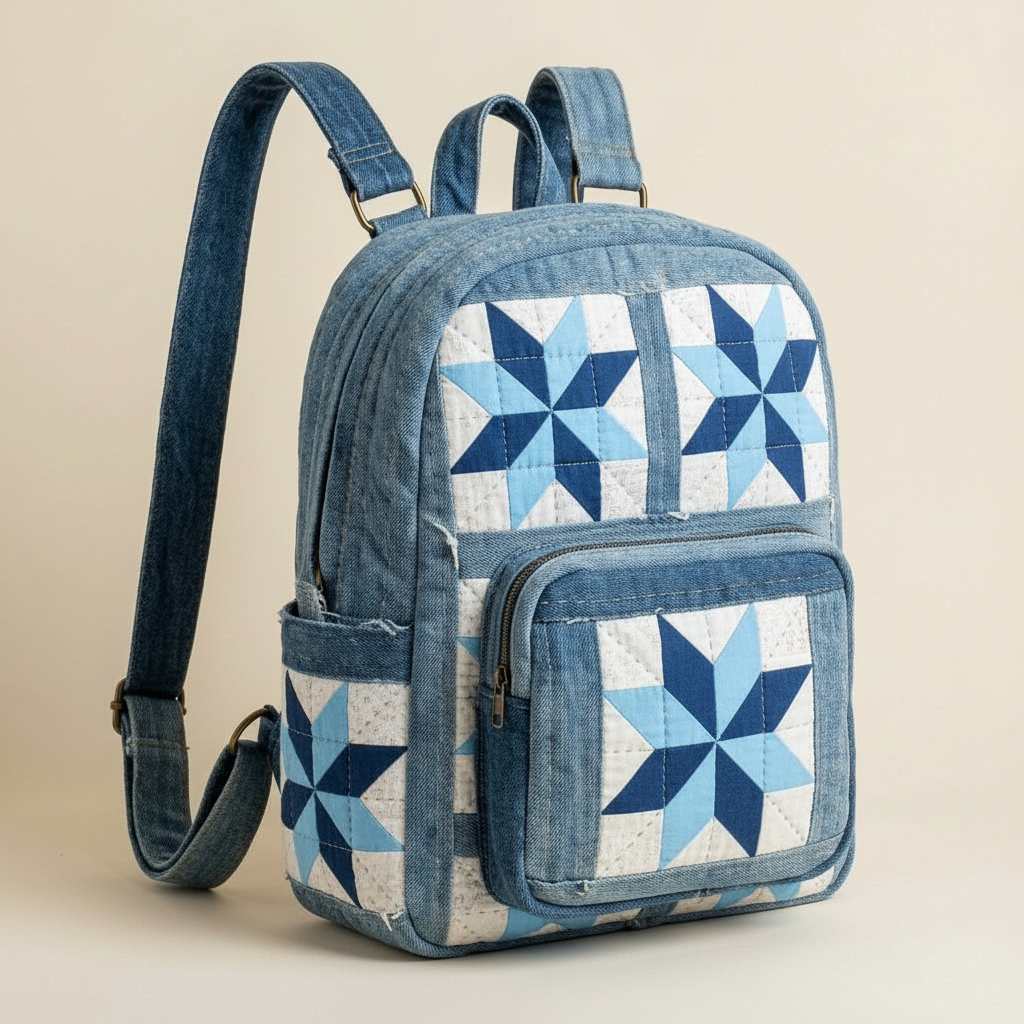
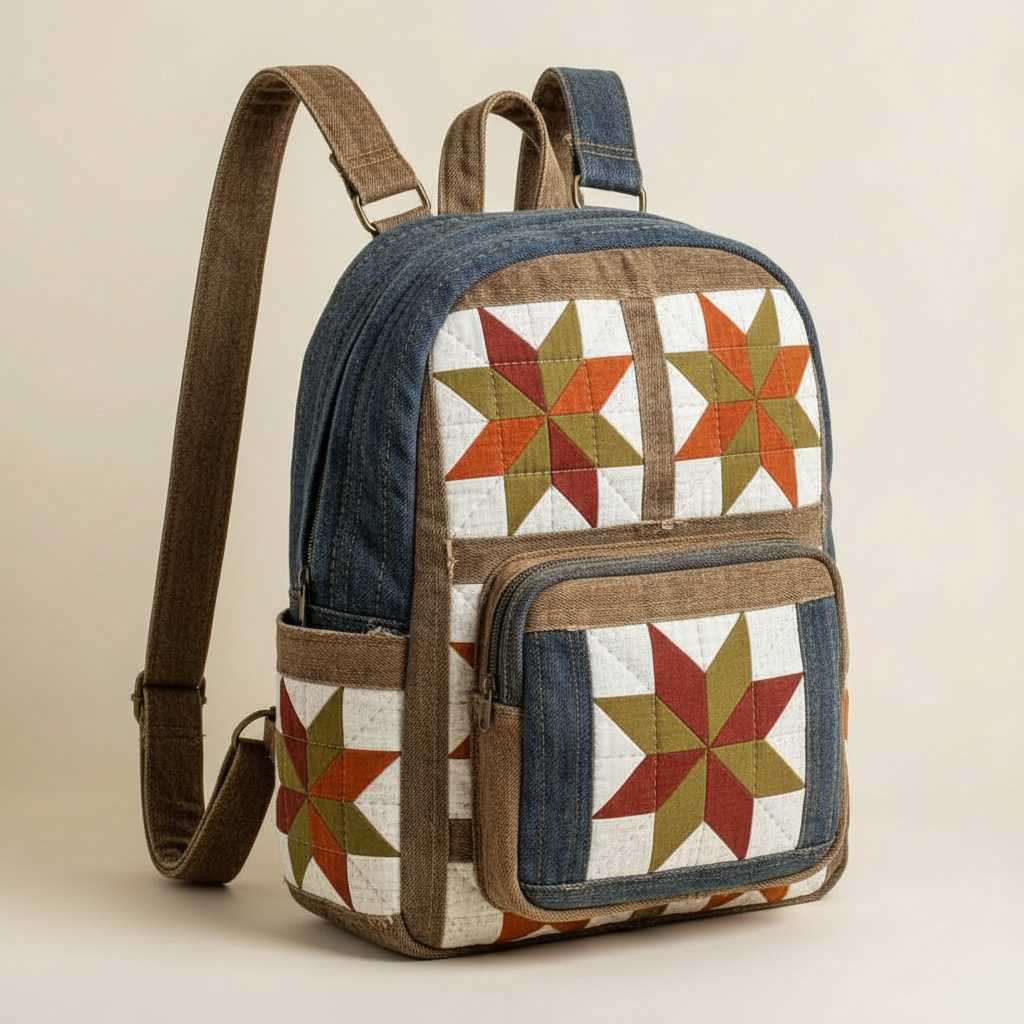
These three AI-generated images show how color alone can completely change the feel of the same basic backpack design.
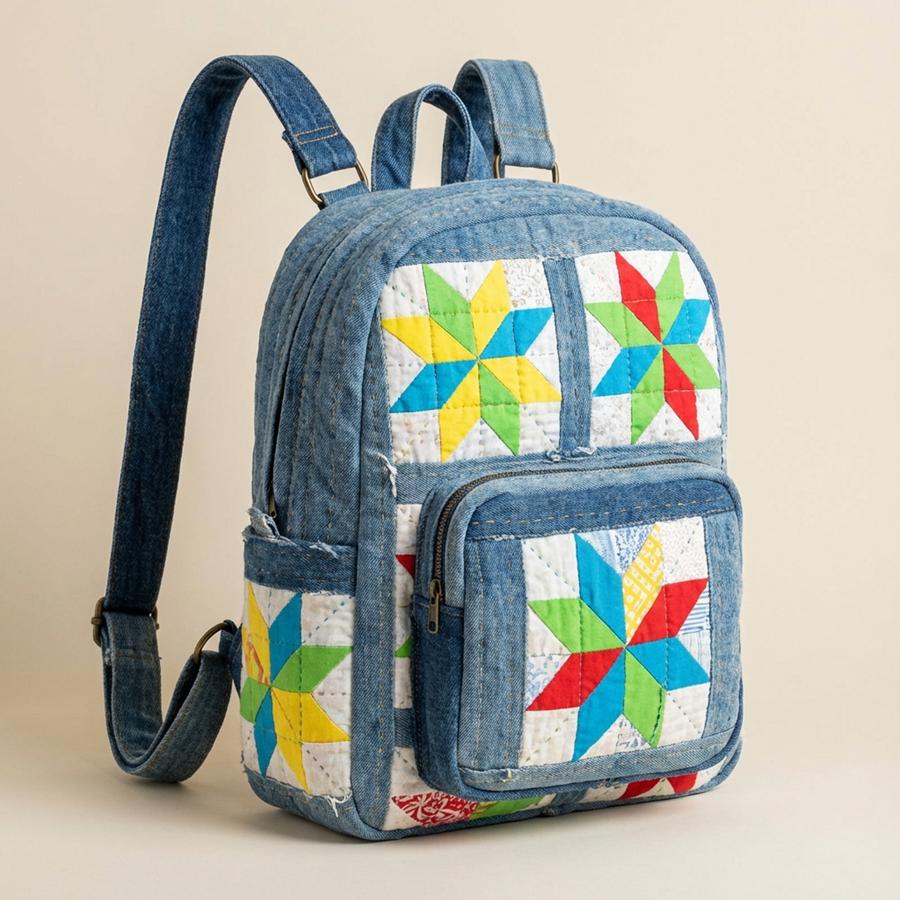
In the first image, bright, saturated colors take the lead. Yellow, green, red, and blue all compete for attention. The palette feels playful and energetic. High contrast makes each quilt block stand out clearly. This kind of combination works well when you want a cheerful, lively look.
The second image shifts into a quieter direction. Blue and white dominate. The prints still vary, but the limited palette pulls everything together. Even though the blocks remain busy, the color restraint creates calm. This is a good example of how reducing color variety can make complex patchwork feel more balanced.
The third image warms things up again. Earthy reds, browns, and golds replace the cooler blues. The denim stays neutral, but the quilt blocks feel richer and heavier. This palette suggests a seasonal mood, something that fits fall or winter without changing the construction at all.
What makes these images useful is not the backpack itself. It is the way color relationships shift:
- Bright versus muted
- Warm versus cool
- High contrast versus blended tones
Seeing the same structure repeated with different palettes helps train the eye. It becomes easier to imagine how fabrics from your own stash might work together before you cut anything.
This is where AI images shine. They help you explore color ideas quickly, without spending fabric, time, or energy.
How to use AI images safely
- Treat them as sketches, not instructions
- Use them before real sewing begins, not during construction
- Pair them with real tutorials, real patterns, and real process photos
AI can suggest what might look good. It cannot explain how to make it work.
Takeaway: AI images work best at the idea stage, not the construction stage. When they stay in that role, they can support creativity without undermining confidence.
How I Use AI Images in My Work
I want to be very clear about how I use AI in my own content, because context matters.
All of my sewing tutorials are based on real projects. I sew them myself. I photograph every step. I show real fabric, real seams, real mistakes, and real fixes. I do not use AI-generated photos to represent finished sewing projects or techniques. If you see a project on my site, it was made, tested, and photographed in real life.
That part does not change.
Where I do use AI is in illustration, not instructions.
For example, the image you see here is an AI-created illustration. I gave the AI an idea and a direction. I treated it like commissioning artwork, not documenting a process. The result works because it is not pretending to be a real quilt, a real project, or a real tutorial step. It functions as visual decoration.
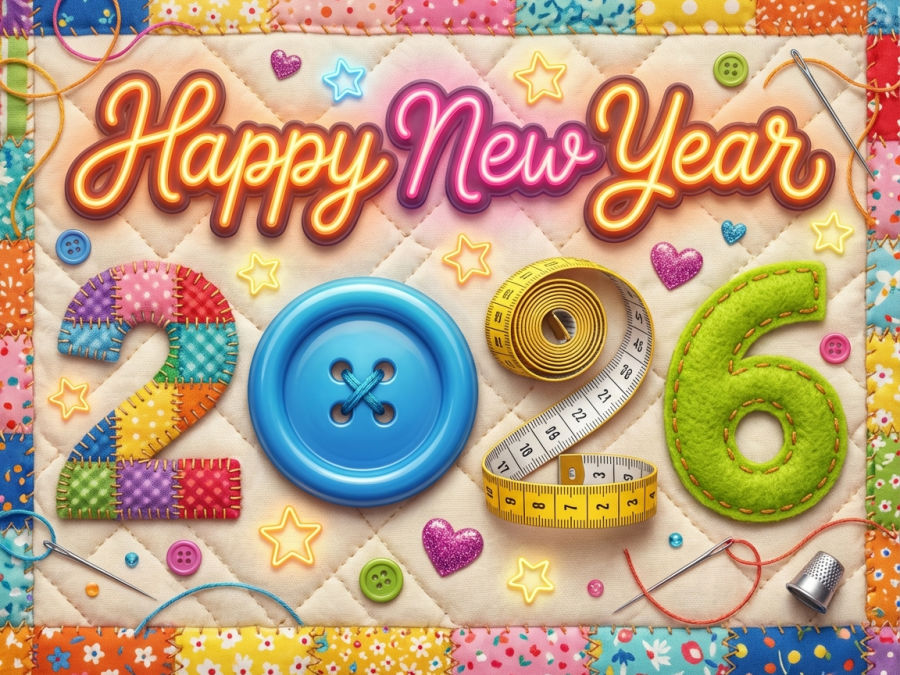
I use illustrations like this for:
- Holiday greetings
- Social media posts
- Visual mood-setting
- Decorative elements that support written content
Illustrations do not carry construction promises. They do not claim to explain how something was made. They simply add atmosphere.
There is an important distinction here.
AI images become a problem when they replace real process photos or imply that a project exists exactly as shown. AI illustrations are not a problem when they are clearly used as artwork.
That is why I always:
- Use real photos for tutorials
- Show real steps and real details
- Edit and process my images intentionally
- Keep AI images separate from instruction
AI can be a helpful creative tool when it stays in the right lane. Used honestly, it supports communication. Used carelessly, it creates confusion.
This balance matters, especially in a craft built on trust, skill, and physical experience.
If this topic is useful, save the pin below to your sewing board so you can return to it later. You can also follow me on Pinterest for sewing tips, tutorials, and thoughtful inspiration.

latest posts
- 10 Easy-to-Miss Features on Sewing Supplies You Should Be Using
- Twin Needle Sewing: My First Try Was a Mess, But Here’s What Worked
- 10 Rules That Made Me a Better Sewist
- How to Make a Lightweight Summer Neck Scarf with a Lettuce Hem
- What Sewists Hate About Sewing: Common Complaints and Practical Fixes
- Knit Presser Foot: How It Works, How to Use It, and My Sewing Tests
- How to Sew Neat Mitered Corners at Acute Angles
- Sewing Machine Needle Organization: A Clever System I Tried
- DIY Car Armrest Organizer: Sewing Tutorial
Hi Olga, Thanks for the interesting and informative article. AI is still a new frontier for most of us. RE the pic with the young woman and stuffed animals: She may be using a regulator for stuffing the animals. I have one with a plastic handle, but I’ve seen them like the piece pictured. Good catch on the two threads for a single needle.
Olga, this article makes so much sense to me.
I teach sewing to beginners and to intermediate sewists and I have found recently that many dress patterns nowadays often have chunks of instructions missing, or the diagrams do not properly match the instructions given.
This poses problems for students as they often get “stuck” on one part of their project and if they do not have anyone they can turn to for help, they get very discouraged and give up completely.
I recently found a cute pattern for a stuffed toy fish on Pinterest that I wanted to make as a baby gift. When I started constructing the pattern (there were no instructions included), I realised that there was a crucial pattern piece missing.
Luckily, I was able to redraft the pattern, but someone less experienced would have ended up totally frustrated and would have added yet another UFO to their collection.
Thank you for such an eye-opening, detailed post.
Love your work!
Hi Olga,
This article makes so much sense to me.
I teach sewing to beginners and to intermediate sewists and I have found recently that many dress patterns nowadays often have chunks of instructions missing, or the diagrams do not properly match the instructions given.
This poses problems for students as they often get “stuck” on one part of their project and if they do not have anyone they can turn to for help, they get very discouraged and give up completely.
I recently found a cute pattern for a stuffed toy fish on Pinterest that I wanted to make as a baby gift. When I started constructing the pattern (there were no instructions included), I realised that there was a crucial pattern piece missing.
Luckily, I was able to redraft the pattern, but someone less experienced would have ended up totally frustrated and would have added yet another UFO to their collection.
Thank you for such an eye-opening, detailed post.
Love your work!
Great article pointing out some ‘tells’ that I would have missed.
Only on thing I want to point out is your use of the image of the vintage maghine. Whilst it is probably AI generated, the machine shown is a Singer Featherweight which I actually tiny and a genuine machine (I used mine in my caravan this week!) Perhaps you could amend the comment below to cover this? Many genuine fans of vintage machines would spot it!
Indeed it looks like a genuine machine; but seems to me the machine “neck” should be longer, about 50% longer than it is. The machine seems too tall and too short, to me it seems the proportions are wrong.